Overview
In modern AI applications, the rapid growth of MCP servers and the expanding variety of tools have created a significant challenge: how to quickly identify the most suitable tool from hundreds of options for a given task. This is a problem both developers and AI assistants face daily.
Traditional approaches either expose all tools to the AI assistant — resulting in massive token consumption and severe response latency — or rely on developers to manually group and configure tools, which lacks flexibility and intelligence.
MCPHub’s Smart Routing feature leverages vector semantic search to enable natural-language-driven tool discovery and precise recommendations. It allows AI assistants to automatically select optimal tool combinations based on task descriptions, just like a human expert, dramatically improving system efficiency and user experience.
What Is Smart Routing
How It Works
Smart Routing is one of MCPHub’s core features. It embeds each MCP tool’s name and description into high-dimensional semantic vectors. When a user submits a natural language task request, the system converts that request into a vector as well, computes similarity, and quickly returns the most relevant tool list.
This approach moves beyond traditional keyword matching, offering stronger semantic understanding that handles the ambiguity and diversity of natural language.
Core Components
- Vector Embedding Engine: Supports mainstream models like
text-embedding-3-smallandbge-m3to convert text descriptions into semantic vectors. - PostgreSQL + pgvector: Uses the open-source vector database solution for efficient vector indexing and search.
- Two-Step Workflow Separation:
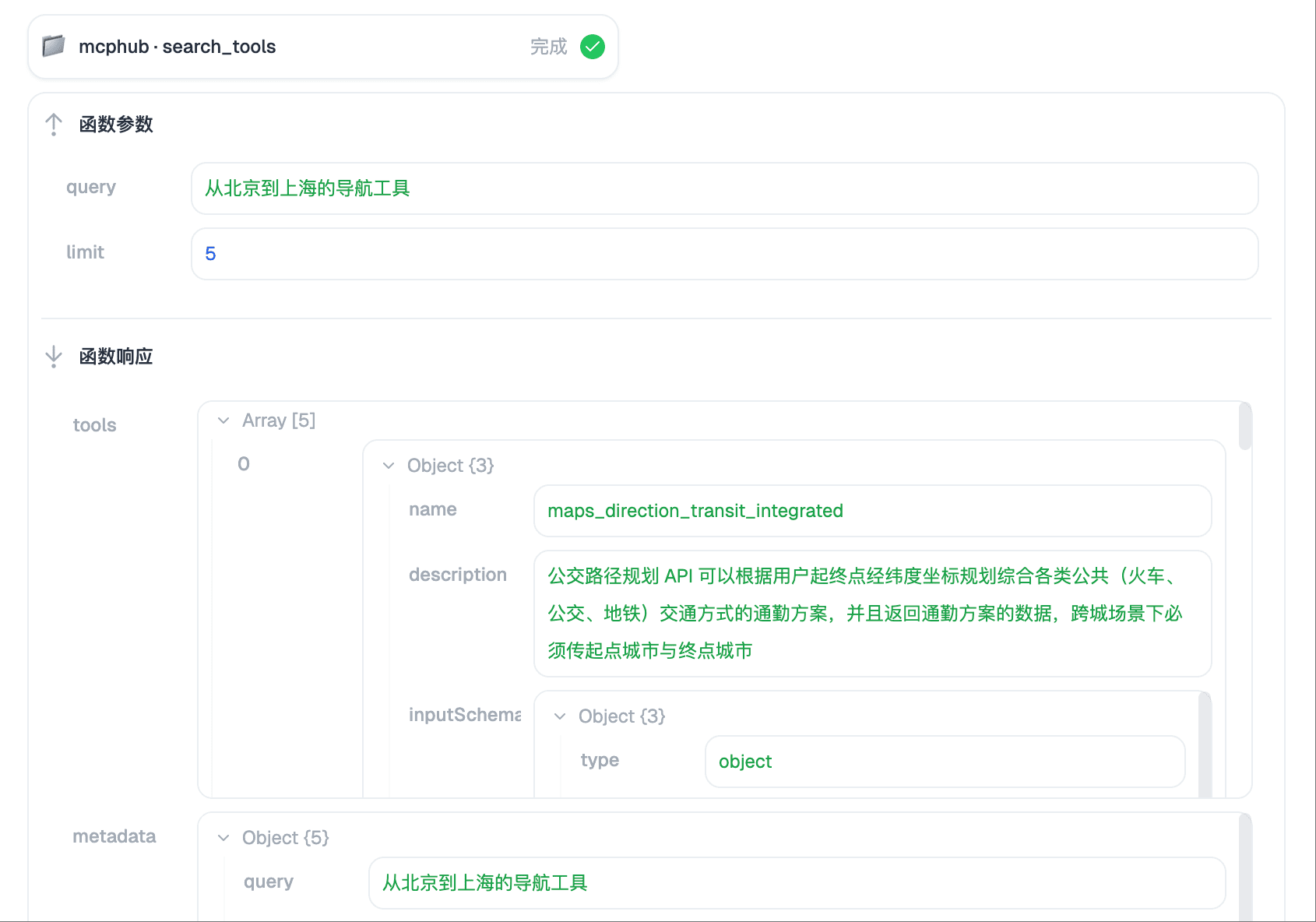
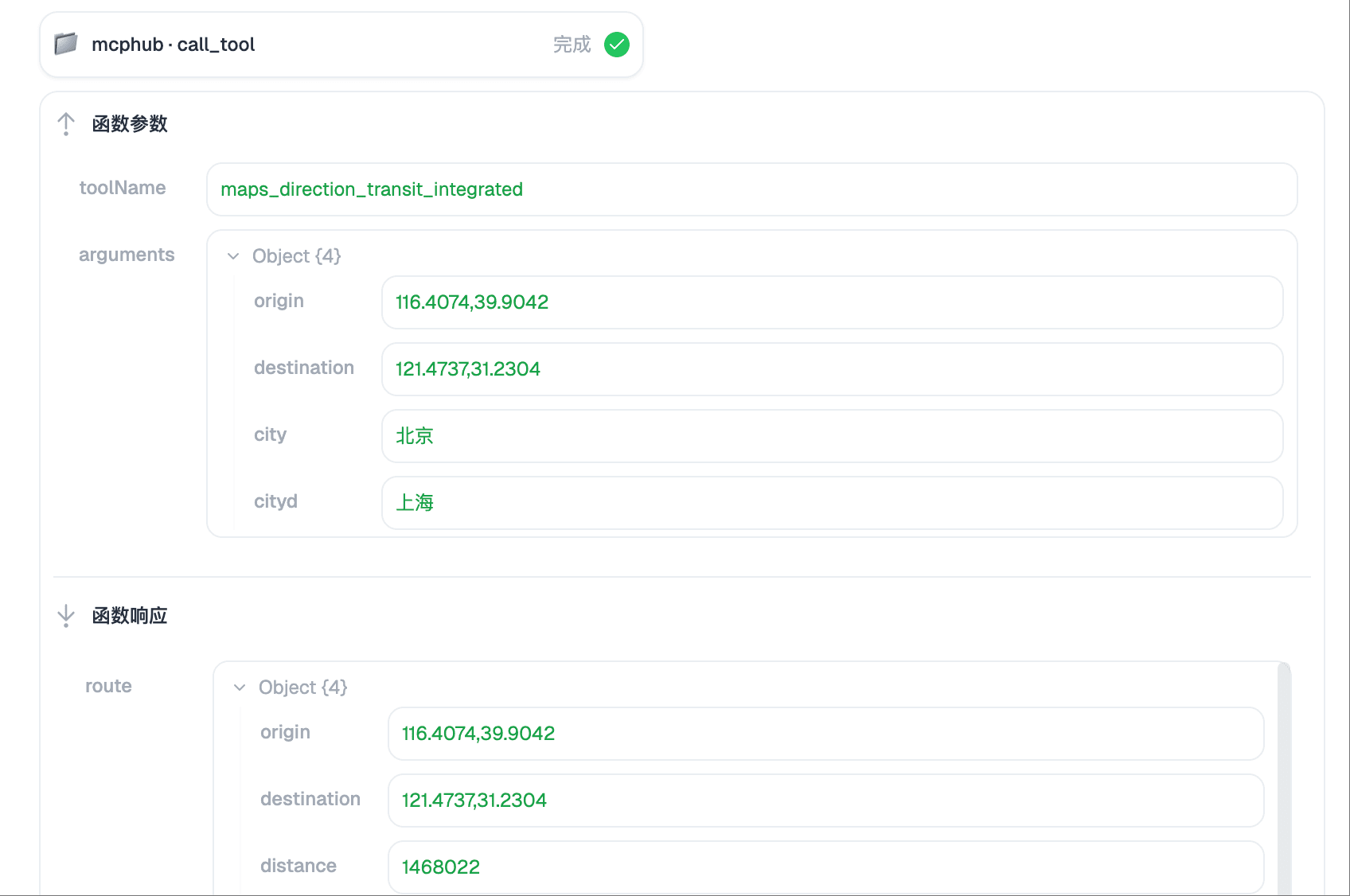
search_tools: Handles semantic tool discoverycall_tool: Executes the actual tool invocation logic
Why Smart Routing Matters
1. Reduces Cognitive Load
- When tool count exceeds 100, AI models struggle to process all tool context.
- Smart Routing uses semantic compression to narrow candidates to 5–10 tools, improving decision efficiency.
2. Significantly Reduces Token Consumption
- Traditional approaches pass in all tool descriptions, consuming thousands of tokens.
- With Smart Routing, token usage is typically reduced by 70–90%.
3. Improves Call Accuracy
- Semantic understanding: “enhance image” → selects image processing tools, rather than relying on naming keywords.
- Context awareness: considers input/output formats and tool composition capabilities for more reasonable execution chains.
Smart Routing Configuration Guide
1. Start a PostgreSQL Database with pgvector
docker run --name mcphub-postgres \
  -e POSTGRES_DB=mcphub \
  -e POSTGRES_USER=mcphub \
  -e POSTGRES_PASSWORD=your_password \
  -p 5432:5432 \
  -d pgvector/pgvector:pg17
If you already have PostgreSQL deployed, you can create the database and enable the pgvector extension directly:
CREATE DATABASE mcphub;
CREATE EXTENSION vector;
2. Get an Embedding Model API Key
Go to OpenAI or another provider to obtain an API Key for the embedding model.
3. Console Configuration
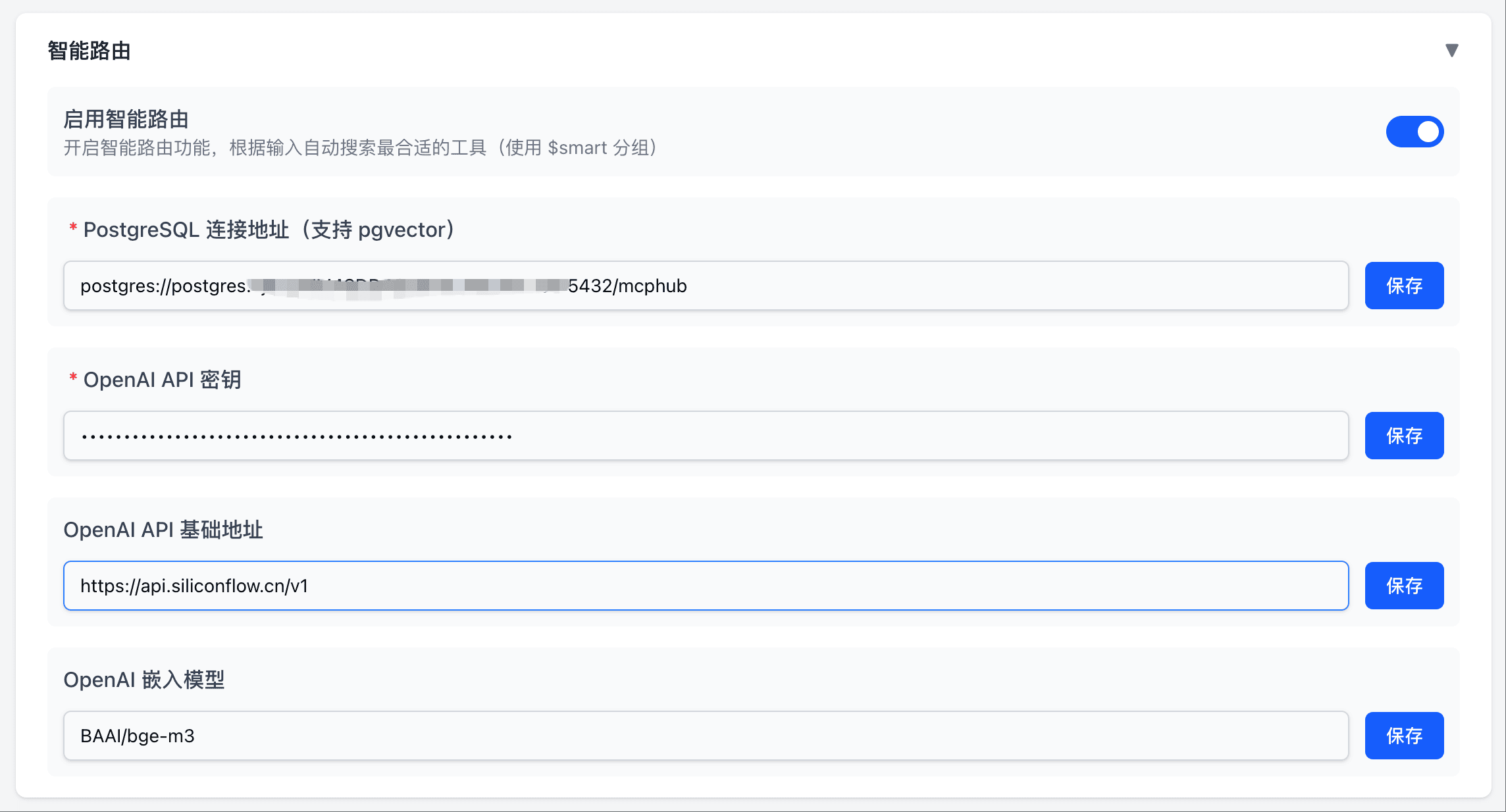
In the MCPHub console, navigate to the “Smart Routing” configuration page and fill in:
- Database URL:
postgresql://mcphub:your_password@localhost:5432/mcphub - OpenAI API Key: Enter your embedding model API Key
- OpenAI Base URL:
https://api.openai.com/v1(or your provider’s URL) - Embedding Model: Recommended
BAAI/bge-m3ortext-embedding-3-small
After enabling “Smart Routing”, the system will automatically:
- Generate vector embeddings for all tools
- Build vector indexes
- Listen for new tools and update indexes
Tool Definitions
search_tools - Tool Search
{
  "name": "search_tools",
  "arguments": {
    "query": "help me resize and convert images",
    "limit": 10
  }
}
call_tool - Tool Execution
{
  "name": "call_tool",
  "arguments": {
    "toolName": "image_resizer",
    "arguments": {
      "input_path": "/path/to/image.png",
      "width": 800,
      "height": 600
    }
  }
}
Demo
Let me demonstrate how to use Smart Routing through a few examples.
First, we need to add several different types of MCP servers in MCPHub: amap, time-map, fetch.
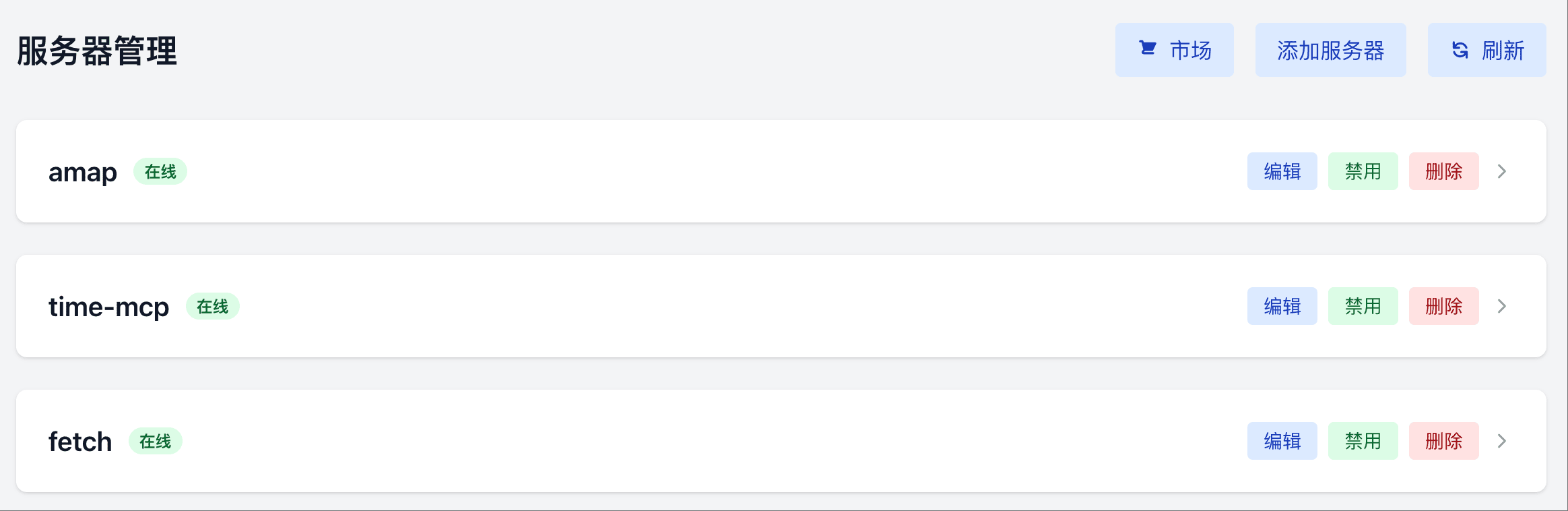
Then we need to select an MCP-compatible client. Here we use DeepChat with the Qwen3-14B chat model.
Next, add MCPHub’s Smart Routing endpoint in DeepChat:
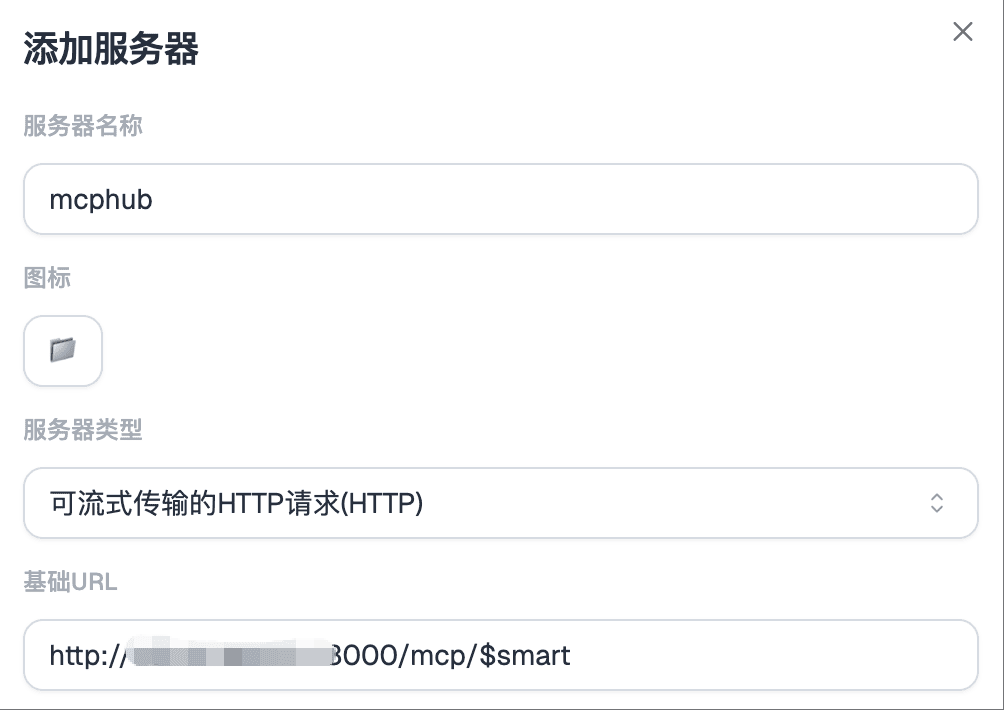
After successful addition, you can see the search_tools and call_tool tools in the tool list:
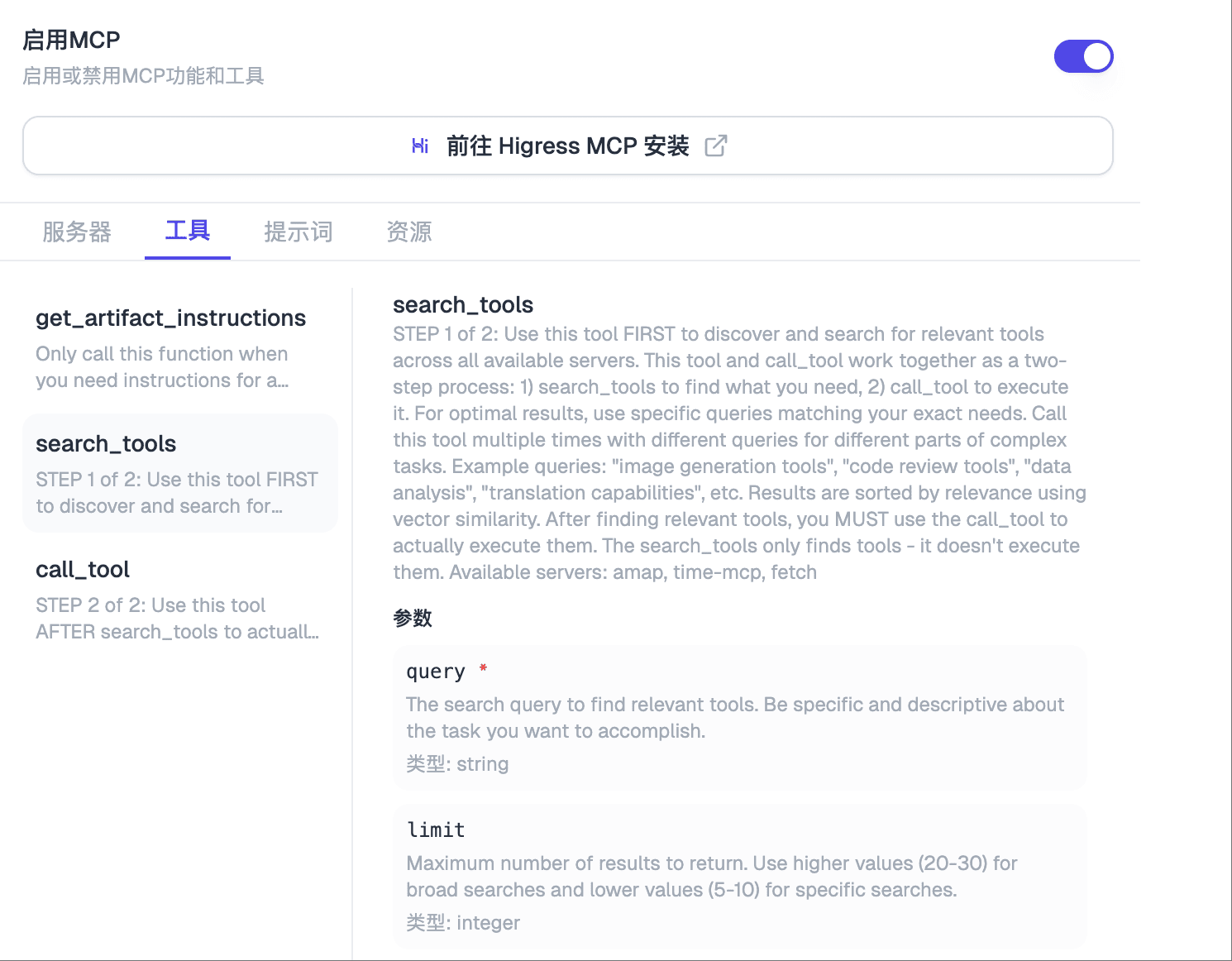
Example 1: Map Navigation
Input: How to navigate from Beijing to Shanghai.
Result:
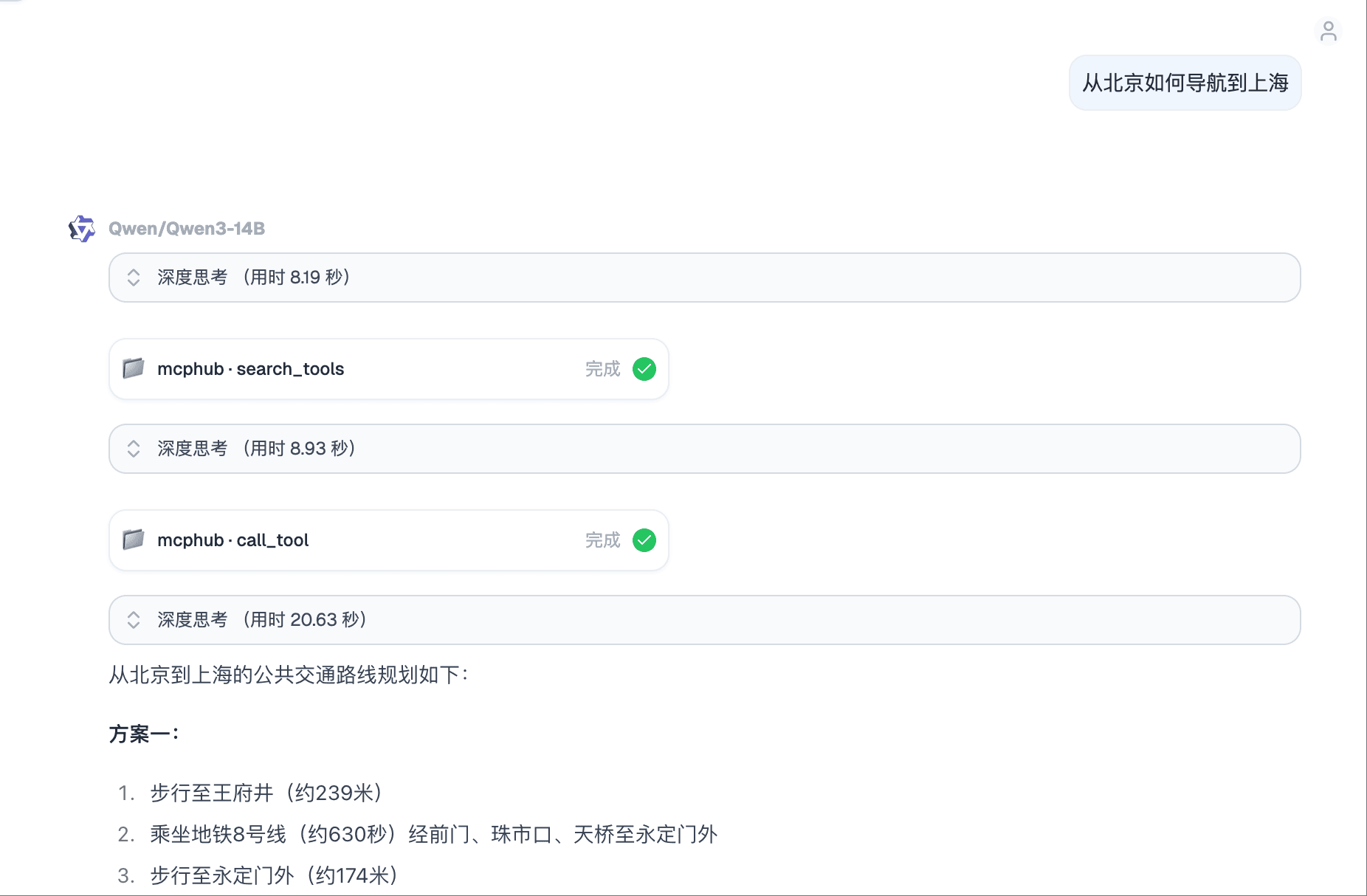
As you can see, DeepChat first called the search_tools tool:
Then called call_tool to query specific navigation information:
Example 2: Query Time
Input: Use tools to check what time it is in the United States right now.
Result:
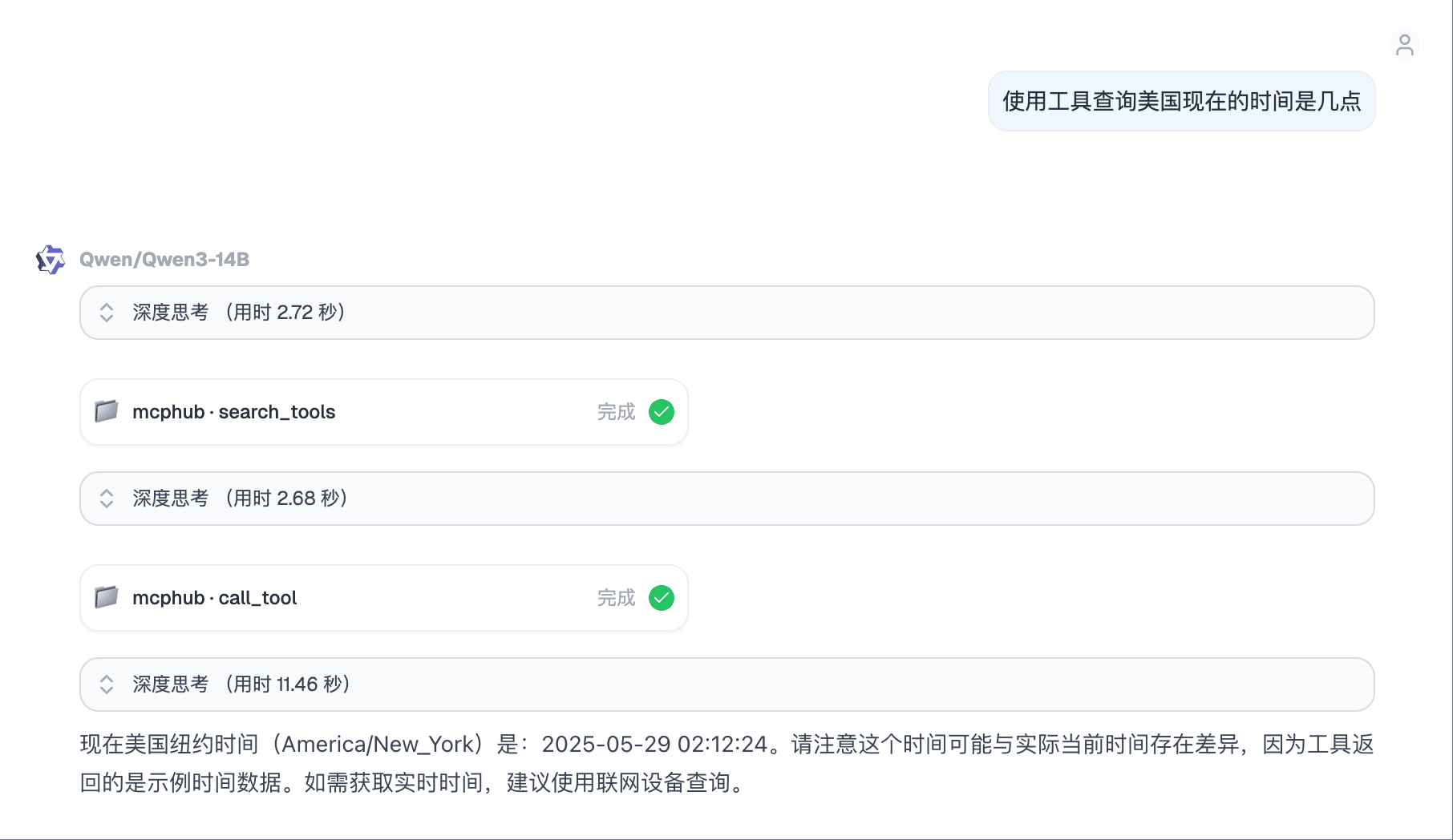
Note that different models have varying levels of support for tool calling, which may produce different results. In this example, I explicitly mentioned “use tools” in the input to improve accuracy.
Example 3: View Webpage
Input: Open baidu.com and see what’s there.
Result:
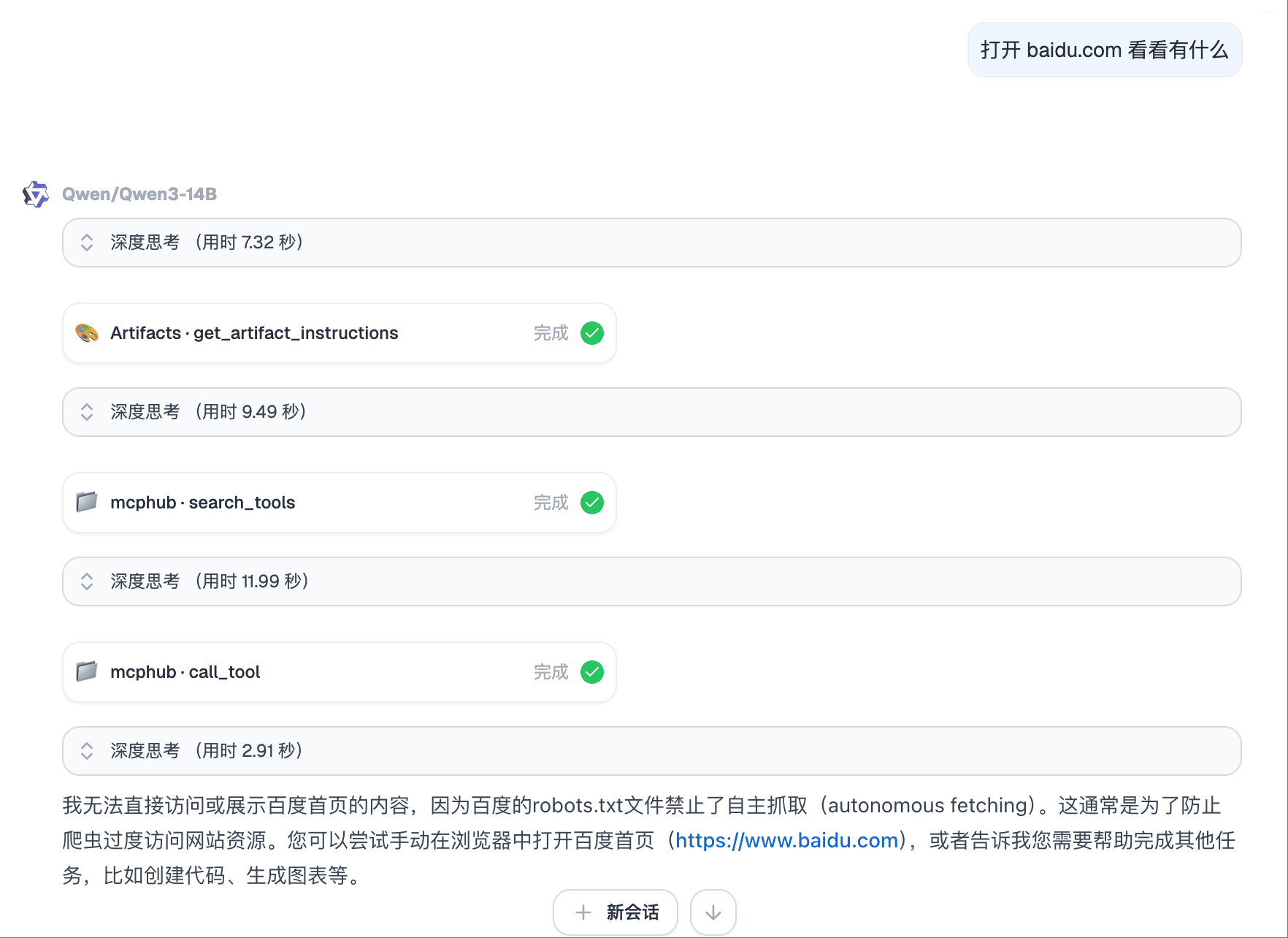
DeepChat successfully called the tool, but due to Baidu’s robots.txt restrictions, it couldn’t retrieve the actual content.
Conclusion
With MCPHub’s Smart Routing feature, AI assistants can handle complex tasks more efficiently, significantly reducing unnecessary token consumption while improving tool call accuracy and flexibility. As a forward-looking AI tool discovery and invocation infrastructure, Smart Routing not only enables AI to select and combine tools more intelligently, but also provides clear, controllable, and extensible underlying capabilities for multi-agent collaboration.
We welcome everyone to contribute! Project address: https://github.com/samanhappy/mcphub.