Overview
In modern AI application scenarios, seamlessly connecting LLMs with various data sources and tools often requires writing large amounts of glue code that cannot be easily reused. MCP (Model Context Protocol) was open-sourced by Anthropic in 2024, aiming to provide a standardized communication method similar to a “USB-C” interface, simplifying the integration process between AI assistants and content repositories, business systems, etc. However, MCP server deployment often requires extensive environment dependencies, manual configuration, and continuous operation, consuming significant time and effort. MCPHub is a self-hosted MCP gateway and management platform for connecting, organizing, controlling, and operating multiple MCP servers through unified endpoints.
What Is MCPHub
MCP Protocol Overview
Model Context Protocol (MCP) is an open standard, similar to a “USB-C” interface, providing a unified communication protocol between AI assistants and content repositories, business systems, and third-party services. It supports both stdio and SSE communication methods, accommodating real-time streaming data exchange as well as batch tasks. Since being open-sourced by the Anthropic team in 2024, MCP has been adopted by various AI clients (such as Claude Desktop), successfully achieving seamless integration with GitHub, Slack, web automation tools, and more.
MCPHub Project Overview
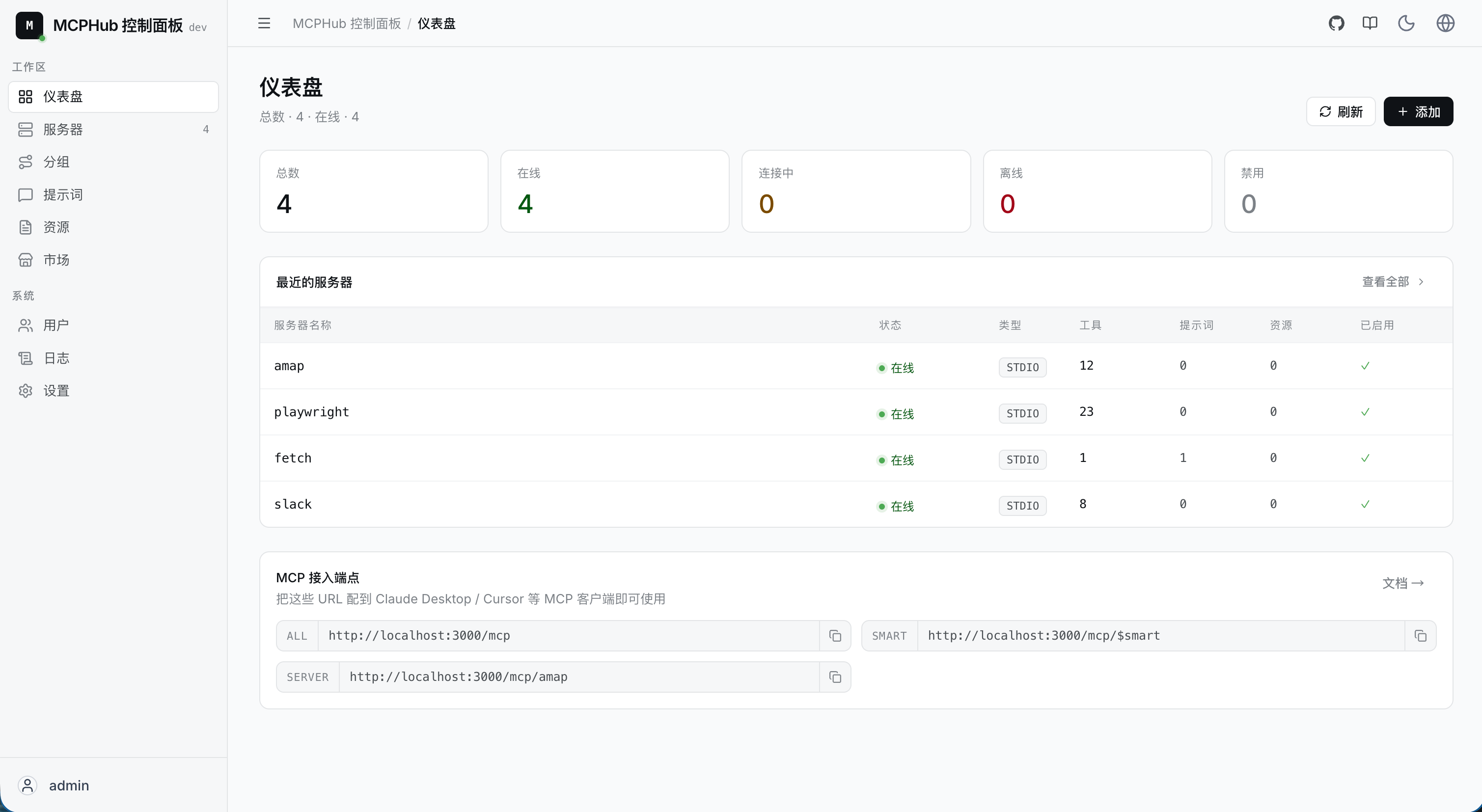
MCPHub is a self-hosted MCP gateway and management platform with a built-in MCP server marketplace for one-click installation. The frontend is built with React, Vite, and Tailwind CSS, while the backend is compatible with any MCP server launched via npx or uvx commands. It provides a centralized Dashboard for real-time monitoring of server status and supports hot-pluggable addition, removal, and modification of server configurations at runtime without downtime. It supports group-based access control, allowing different MCP server combinations to be accessed through independent SSE endpoints, with administrators able to flexibly define permission policies for different teams or environments. Official Docker images are provided, requiring only a single command to quickly launch local or cloud services.
Why Use MCPHub
1. Complex Environment Dependencies and Configuration
- MCP servers often depend on multiple runtimes like Node.js and Python, requiring manual maintenance of numerous commands, parameters, and environment variables.
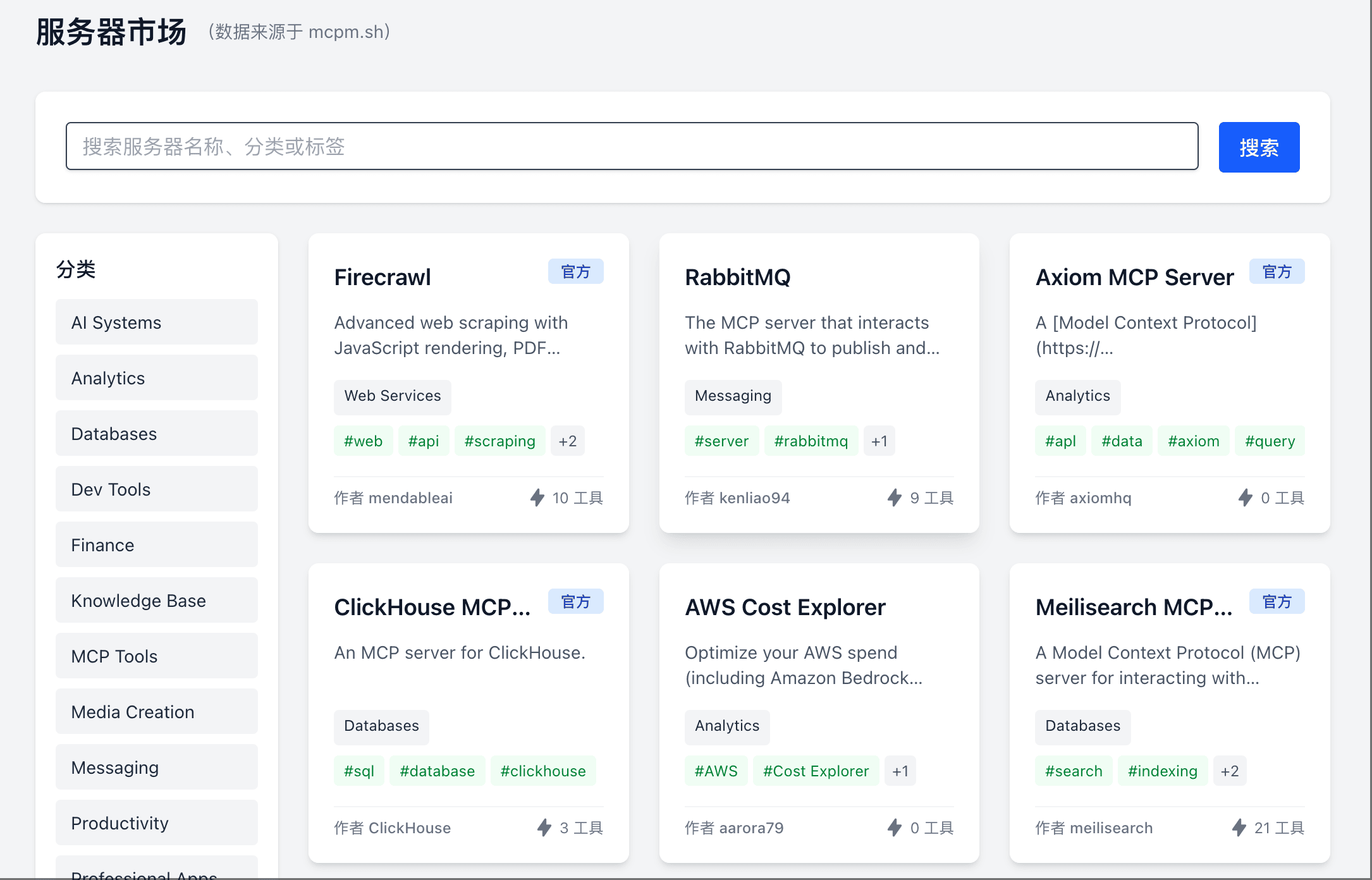
- MCPHub includes a built-in MCP server marketplace with many commonly used MCP servers, supporting one-click installation and automatic configuration, simplifying the environment setup process.
- With Docker deployment, MCPHub can run on any Docker-supported platform, avoiding environment inconsistency issues.
2. Continuous Service Operation Pressure
- MCP requires long-lived connections with services running persistently in memory. Restarts or upgrades require manual intervention and lack elasticity.
- With Docker containerized deployment, MCPHub can quickly rebuild environments, enjoying the elasticity and isolation advantages of containers.
3. Lack of Unified View for Routing and Group Management
- Traditionally, it’s difficult to visually categorize different MCP services by scenario, easily causing token waste and reduced tool selection accuracy.
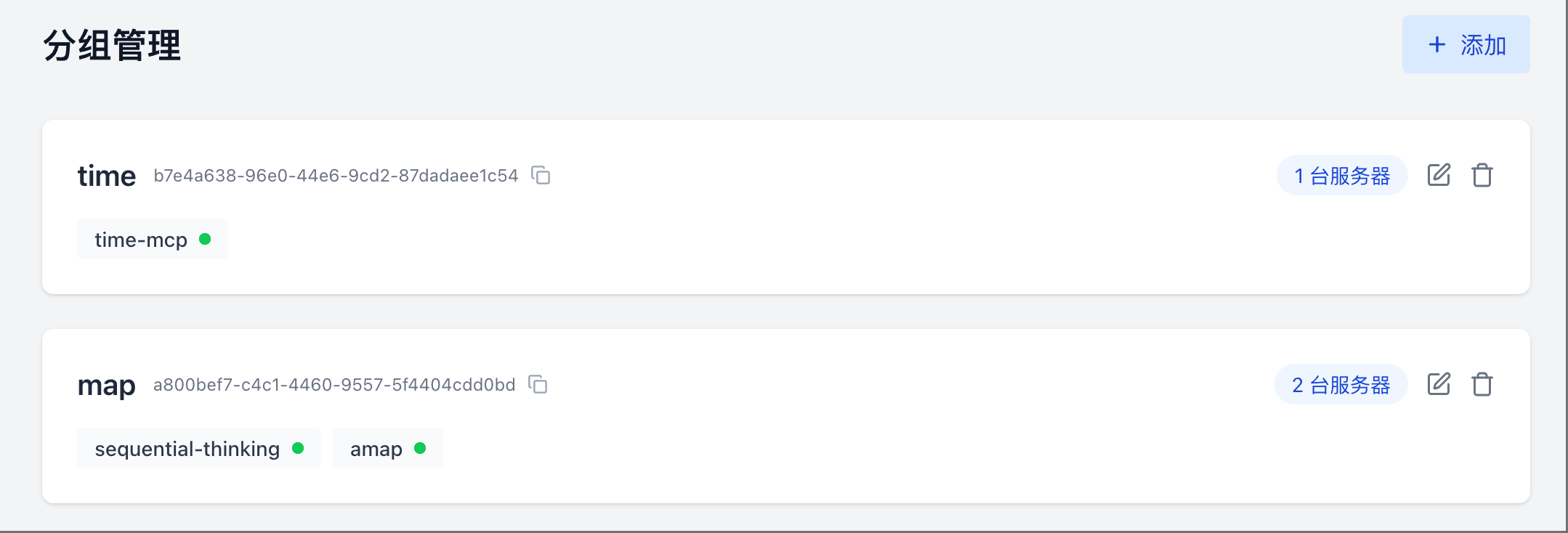
- MCPHub supports dynamic creation of groups (such as “Map Search”, “Web Automation”, “Chat”, etc.), generating independent SSE endpoints for each group, achieving isolation and optimization for various use cases.
How to Use MCPHub
Quick Deployment
docker run -p 3000:3000 samanhappy/mcphub
A single command quickly starts MCPHub locally, listening on port 3000 by default.
MCPHub uses mcp_settings.json to store all server, group, and user configurations. You can create a mcp_settings.json file and mount it into the Docker container to persist configurations across restarts.
{
  "mcpServers": {
    "amap": {
      "command": "npx",
      "args": ["-y", "@amap/amap-maps-mcp-server"],
      "env": {
        "AMAP_MAPS_API_KEY": "your-api-key"
      }
    },
    "time-mcp": {
      "command": "npx",
      "args": ["-y", "time-mcp"]
    },
    "sequential-thinking": {
      "command": "npx",
      "args": ["-y", "@modelcontextprotocol/server-sequential-thinking"]
    }
  }
}
Then mount the config file and start:
docker run -p 3000:3000 -v $(pwd)/mcp_settings.json:/app/mcp_settings.json samanhappy/mcphub
Note: On first run, MCPHub will automatically download and install required dependencies, which may take some time.
Access the Console
After startup, visit http://localhost:3000 to access the console.
The default username is
admin. On first startup, if theADMIN_PASSWORDenvironment variable is not set, the system will automatically generate a random password and output it to the server log. Please change the password promptly after logging in to ensure security.
The console provides server management, group management, and marketplace management features. You can view all installed MCP servers, create new groups, add or delete servers, and more.
Group Routing & SSE Endpoints
Global SSE Endpoint
http://localhost:3000/sse
The global SSE endpoint provides access to all enabled MCP servers.
Group-Based SSE Endpoints
In addition to the global SSE endpoint, MCPHub supports group-based SSE endpoints. You can create independent SSE endpoints for each group to better manage and route requests.
The group SSE endpoint format is:
http://localhost:3000/sse/{groupId}
Where {groupId} is the group’s unique identifier, obtainable from the console.
Using Group Routing
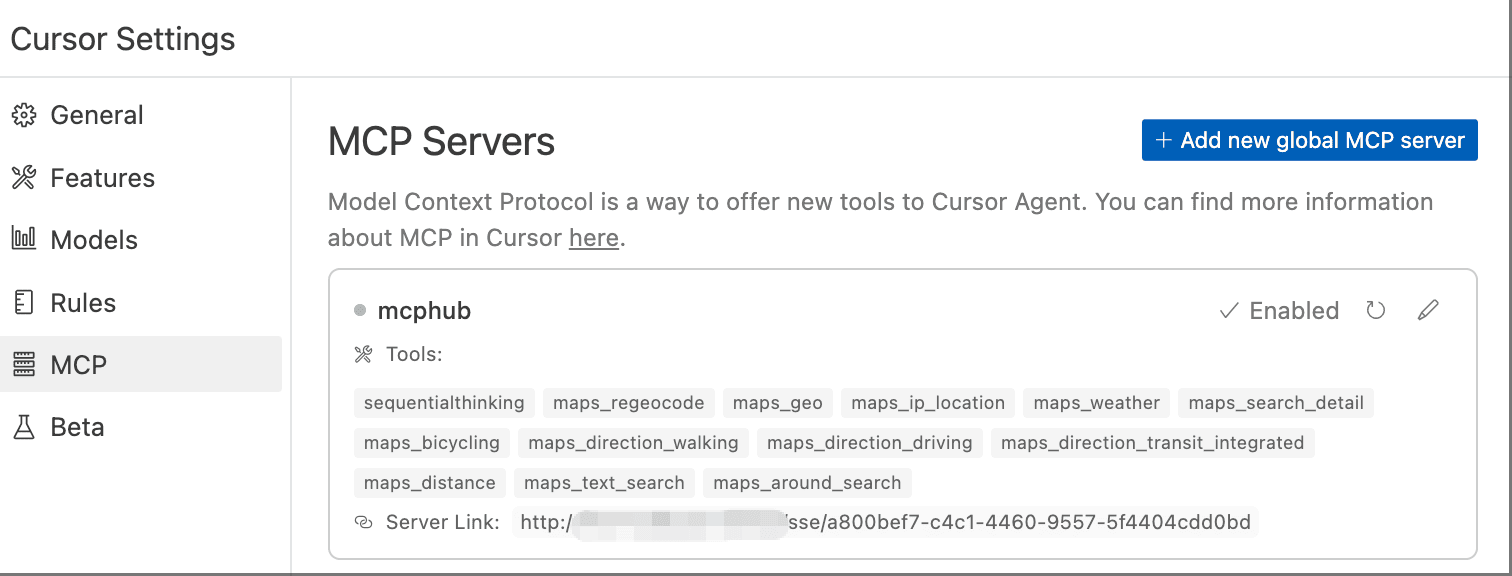
After creating routing groups, we can use the group’s SSE endpoint in any MCP-compatible client. For example, in Cursor, we can specify the group’s SSE endpoint in the configuration file:
{
  "mcpServers": {
    "mcphub": {
      "url": "http://localhost:3000/sse/a800bef7-c4c1-4460-9557-5f4404cdd0bd"
    }
  }
}
After configuration, you can see all available MCP server tool lists in Cursor.
Then we can test it. For example, input: Think deeply and help me plan a May Day holiday road trip from Nanjing, avoiding congested routes, considering weather conditions, and experiencing different natural scenery.

We can see that Cursor called multiple tools during execution.
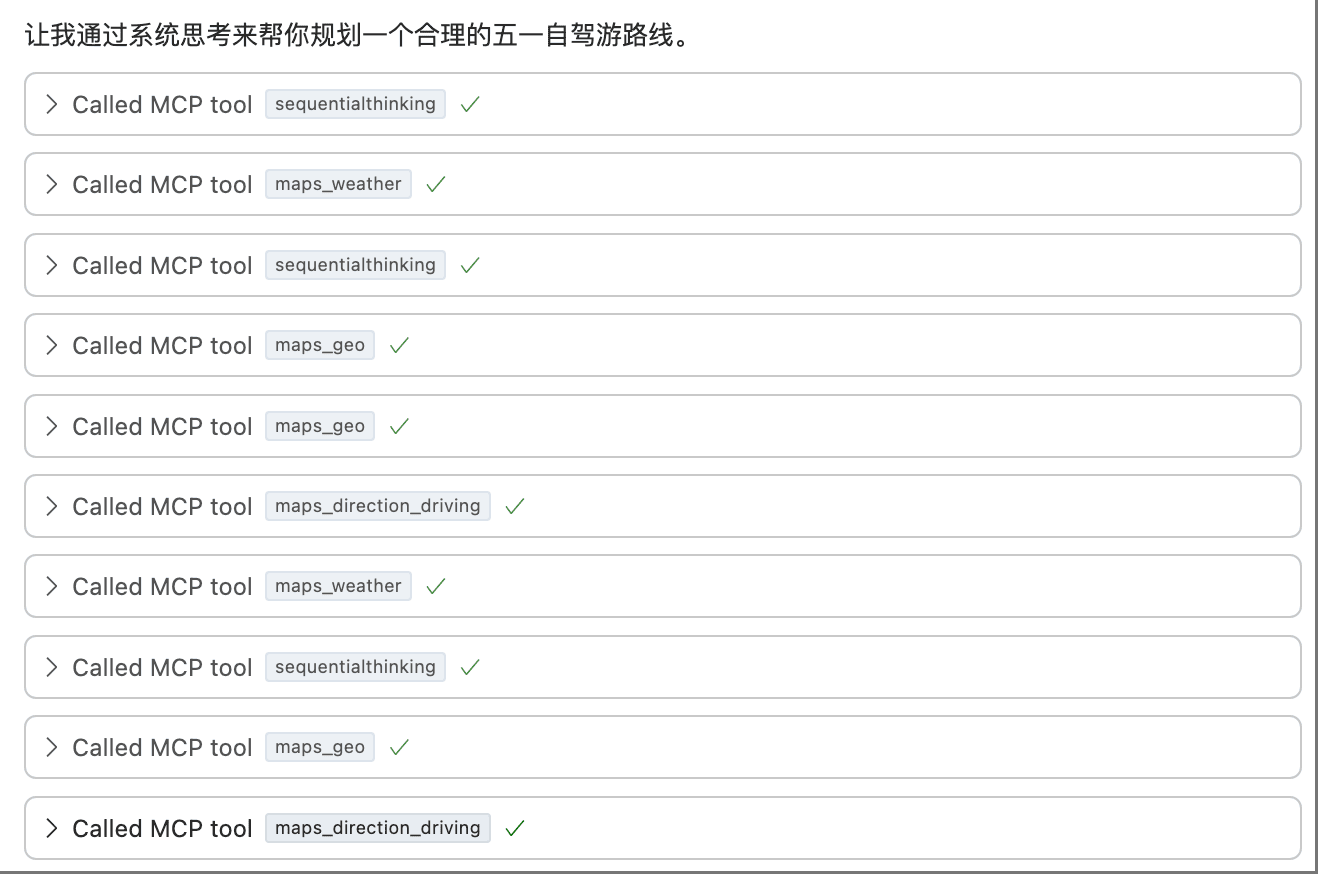
As you can see, Cursor successfully generated a May Day holiday road trip plan by calling the amap and sequential-thinking servers, avoiding congested routes and incorporating weather conditions.
Conclusion
MCPHub combines local deployment, one-click installation, group routing, and visual management into one cohesive platform. With its simple yet powerful design, it thoroughly solves the deployment, configuration, and operational challenges of MCP servers. Whether you’re a developer seeking rapid validation or an enterprise user needing a reliable AI toolchain, MCPHub lets you focus on core business and innovation without being bogged down by underlying details.
Although various platforms are gradually launching MCP cloud services, in the context of growing demands for data privacy, compliance, and customization, MCPHub remains a local deployment solution worth attention.
MCPHub started as a small project I built on a whim, and I never expected it to receive so much attention. Thank you all for your support! There are still many areas that need optimization and improvement, and I’ve set up a community group for discussion and feedback. If you’re interested in this project, welcome to join the development! Project address: https://github.com/samanhappy/mcphub.