As MCP becomes the de facto industry standard, efficiently setting up and managing multiple MCP services has become a major challenge for individual developers. This article introduces a simple solution to help you quickly build your own MCP service.
What Is MCP?
Model Context Protocol (MCP) is an open standard launched by Anthropic, designed to provide a standardized interface for Large Language Models (LLMs) to directly connect to external data sources and tools. In short, MCP is like a USB-C port for AI applications — it uniformly solves the problems of data silos and custom integrations.
Through MCP, AI models can not only retrieve real-time information but also call external tools to complete various tasks, enabling seamless cross-platform, cross-data-source interaction and dramatically improving the practicality and flexibility of AI applications.
The Current MCP Ecosystem
Despite MCP’s standardized interfaces making AI application development more convenient, quickly setting up and efficiently managing multiple MCP services remains a significant challenge in practice. MCPHub was born to solve this pain point, offering centralized management and dynamic configuration solutions that let individual developers easily handle diverse needs without diving into the implementation details of each service.
One-Click Deployment for Personal Needs
For individual developers, cumbersome deployment processes often become stumbling blocks to innovation. MCPHub’s biggest highlight is its “one-click deployment” capability:
-
Minimal Deployment: With a single Docker command, you can launch a complete MCPHub service in minutes, quickly setting up a dedicated MCP service platform to meet the needs of personal projects or lab environments.
-
Dynamic Scaling: During use, you can add, remove, or adjust MCP server configurations at any time through the Web dashboard without restarting the entire system. This flexibility is not only suitable for personal development and testing, but also provides unlimited possibilities for future feature expansion.
-
Standardized Interface: Based on the MCP standard, your service can seamlessly integrate with various AI tools. Whether it’s Claude Desktop, Cursor, or other custom applications, they can all call external data or execute tool operations through a unified interface, achieving true multi-source collaborative workflows.
Quick Start Guide
Below, we’ll demonstrate how to use MCPHub to quickly build a trip planning assistant based on the Amap MCP service.
Deploy with Docker
Run the following command to quickly start MCPHub locally:
docker run -p 3000:3000 samanhappy/mcphub
Access the Dashboard
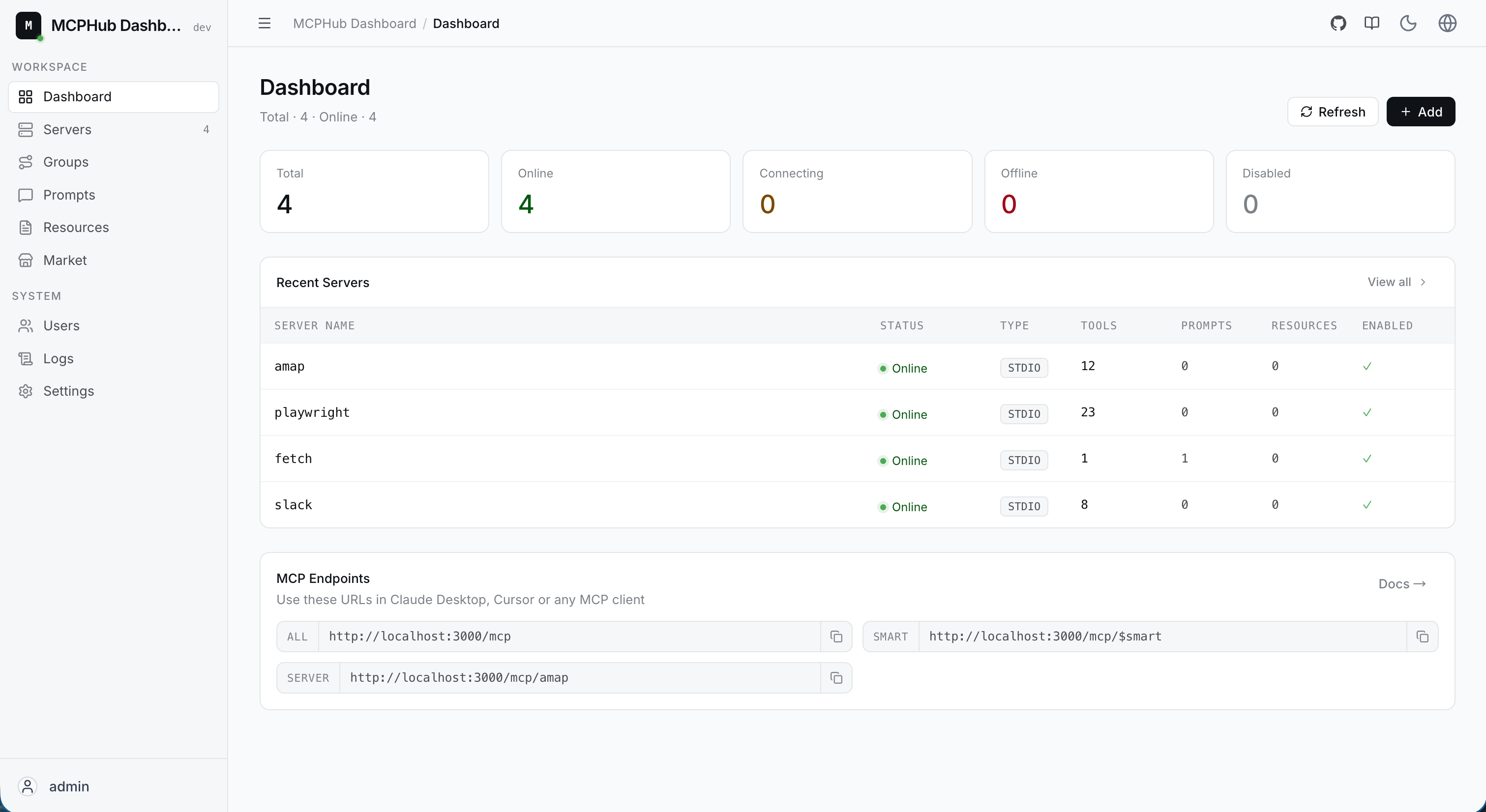
MCPHub comes with multiple commonly used MCP services built in, such as Amap, GitHub, Slack, Fetch, Tavily, Playwright, and more — ready to use out of the box. Open http://localhost:3000 in your browser, and the intuitive dashboard will display the real-time status of each MCP server, letting you easily manage and monitor service operations.

You can see that these MCP services are all successfully connected and running normally.
Configure Amap
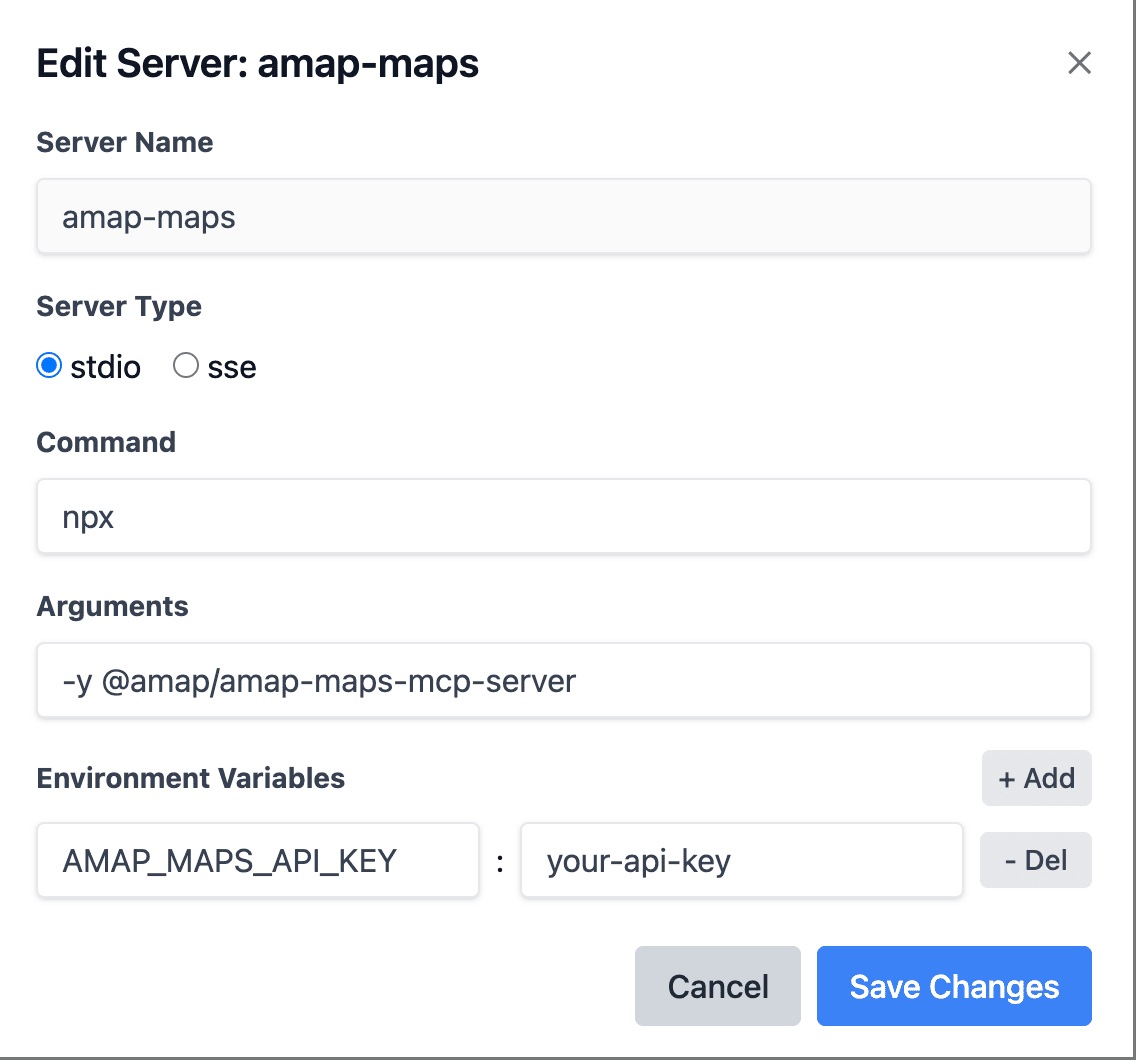
Since Amap’s MCP service requires an API Key, we need to configure it in the dashboard. Click the Edit button to the right of amap-maps, and configure the Amap API Key in the environment variables section of the popup window.

After clicking save, MCPHub will automatically restart Amap’s MCP service to apply the new configuration.
Configure MCPHub SSE
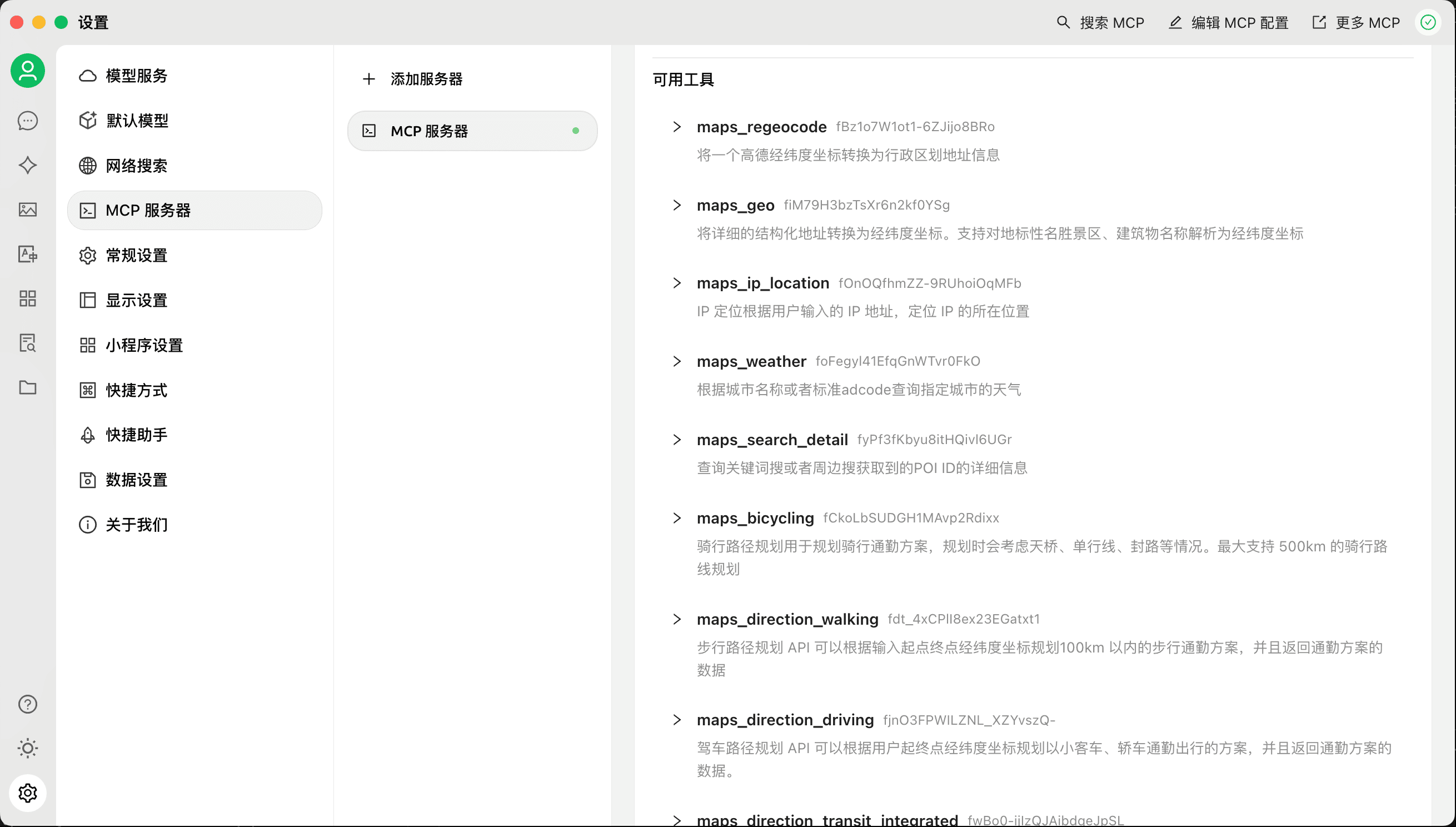
MCPHub provides a single aggregated MCP Server SSE endpoint: http://localhost:3000/sse, which can be configured in any MCP-compatible client. Here we choose the open-source Cherry Studio for demonstration.

After successful configuration, the available tools list will display all tool capabilities supported by the Amap MCP service.
Use the Amap MCP Service
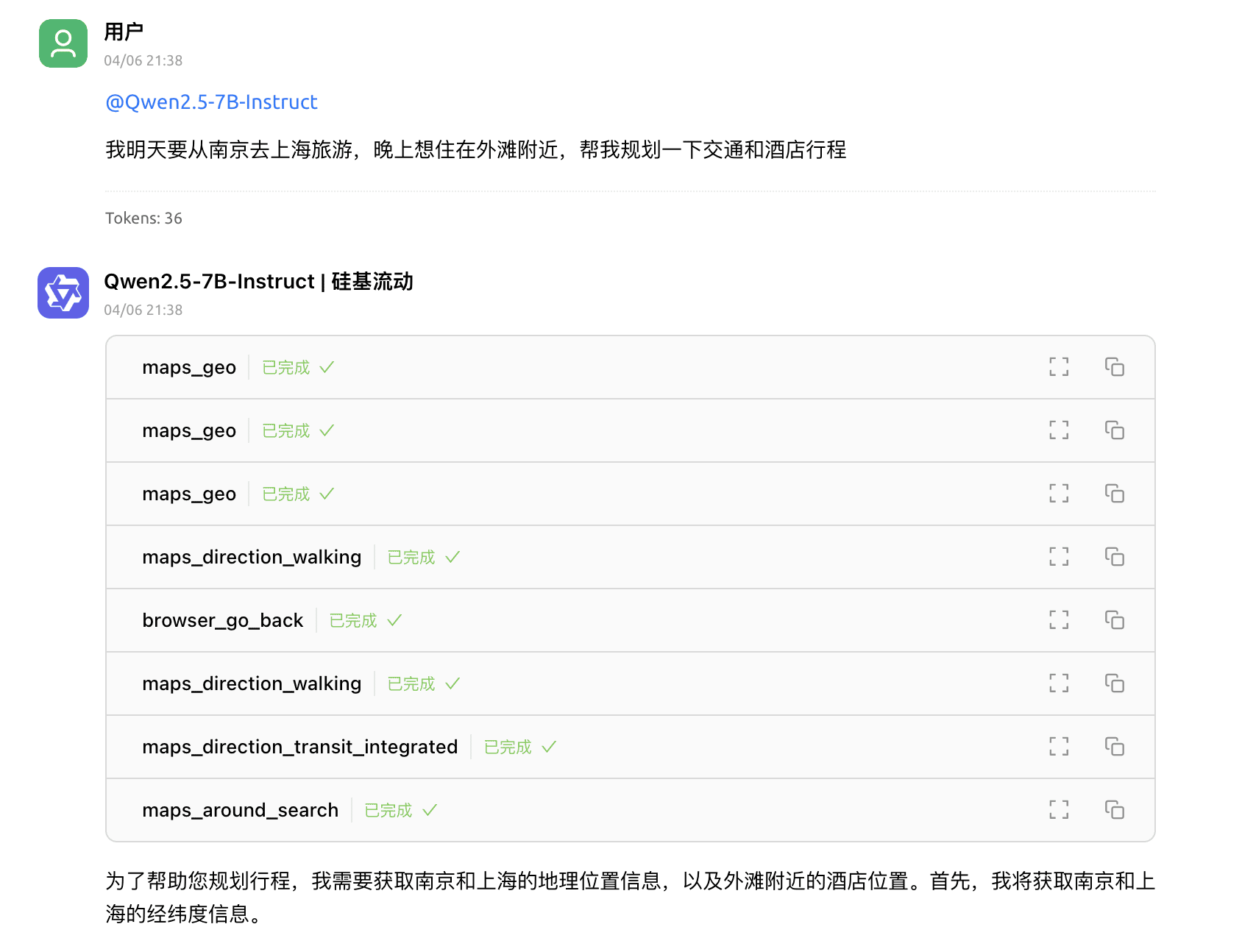
Now we can use Amap’s MCP service in Cherry Studio. Select the Qwen2.5-7B-Instruct model, ensure the MCP Server toggle is enabled, then input: “I’m traveling from Nanjing to Shanghai tomorrow evening and want to stay near the Bund. Help me plan my transportation and hotel itinerary,” and click send.

As you can see, Cherry Studio called multiple Amap MCP service tools during its response, including coordinate resolution, route planning, and nearby search, creating a much more powerful trip planning assistant.
Conclusion
MCPHub’s one-click deployment and dynamic configuration features enable individual developers to easily set up and manage multiple MCP services, greatly improving development efficiency and application flexibility. Whether for personal projects or lab environments, MCPHub provides efficient and convenient solutions.
As the MCP ecosystem continues to expand, we will keep adding more services and features to provide developers with a richer toolkit. MCPHub is fully open source under the MIT license. Project address: https://github.com/samanhappy/mcphub. We look forward to your experience and feedback, working together to promote the prosperity of the MCP ecosystem!